
Mobile app
The SuperWise mobile app for your site team
The SuperWise mobile app puts progress, material deliveries and checklists in the hands of the people on site, against the same project record the office works in.

Level 10 slab · East bay reinforcement
What the app does
One site day on a phone, in the order it runs: progress, material, checklist, and what is waiting for you.
-
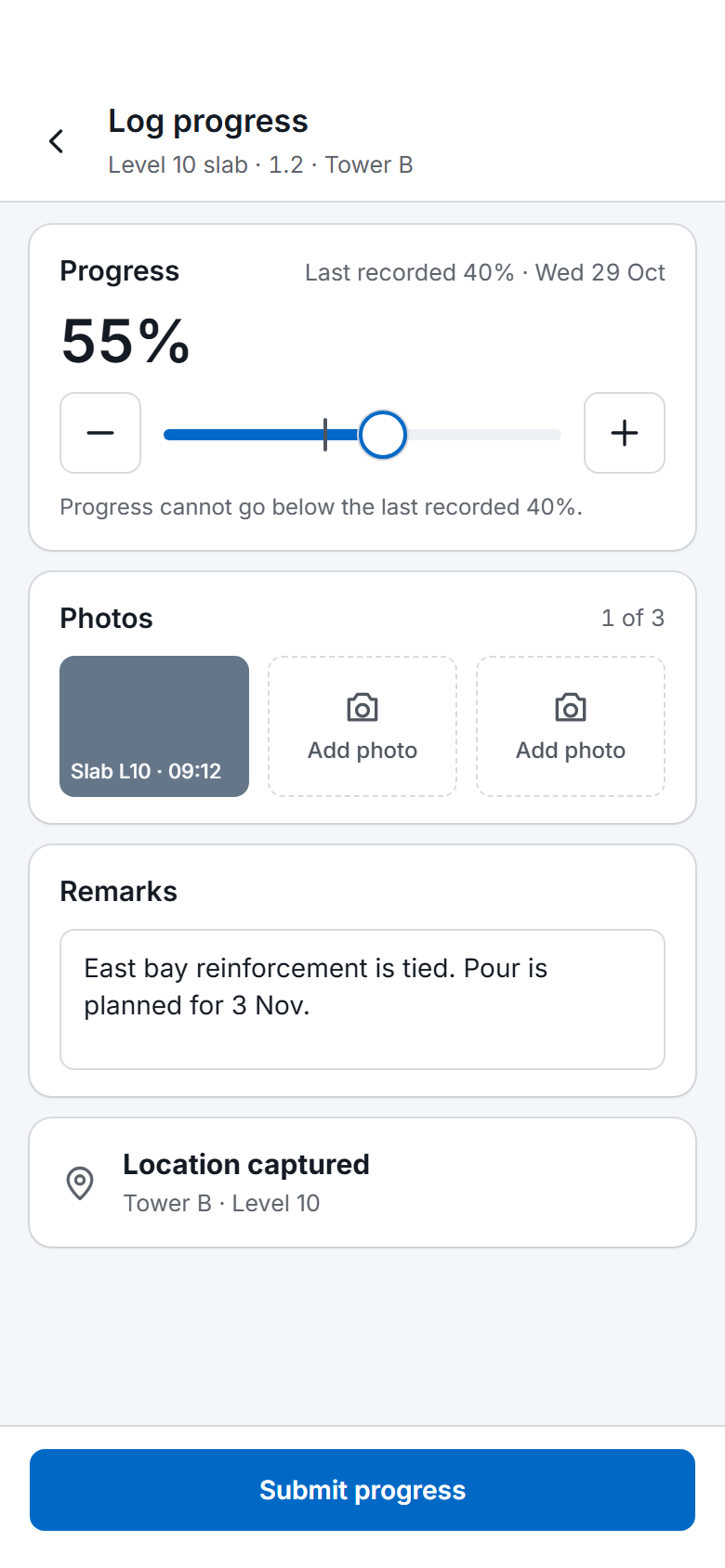
Log progress with photos
Update a task from the site: set the new progress, which cannot go below the last recorded value, add photos and remarks, and send it. The entry carries the place it was logged from, and the office sees it on the same record.
-
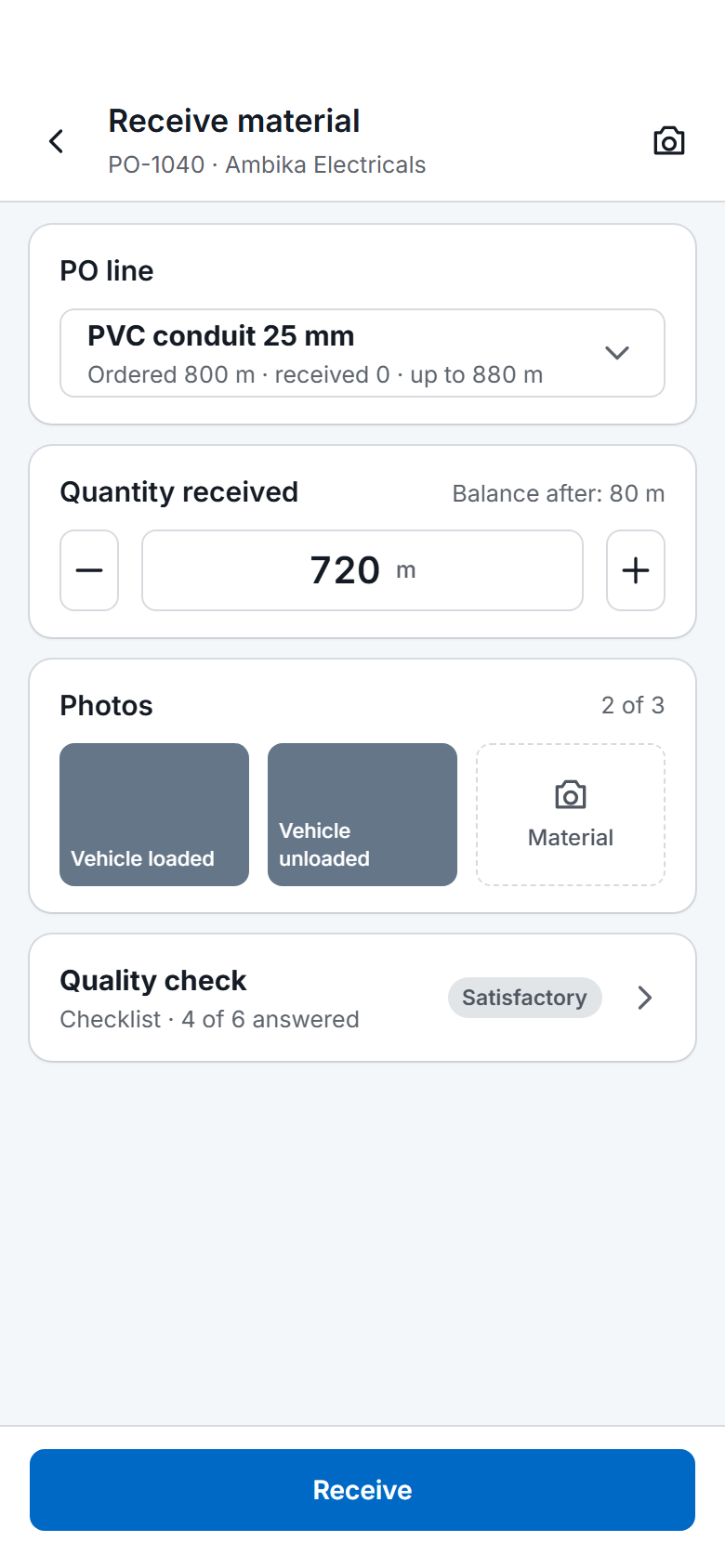
Receive material at the gate
Receive a delivery against its purchase order line: enter the quantity, see the balance, add photos of the vehicle and the material, answer the quality checklist and submit the challan.
-
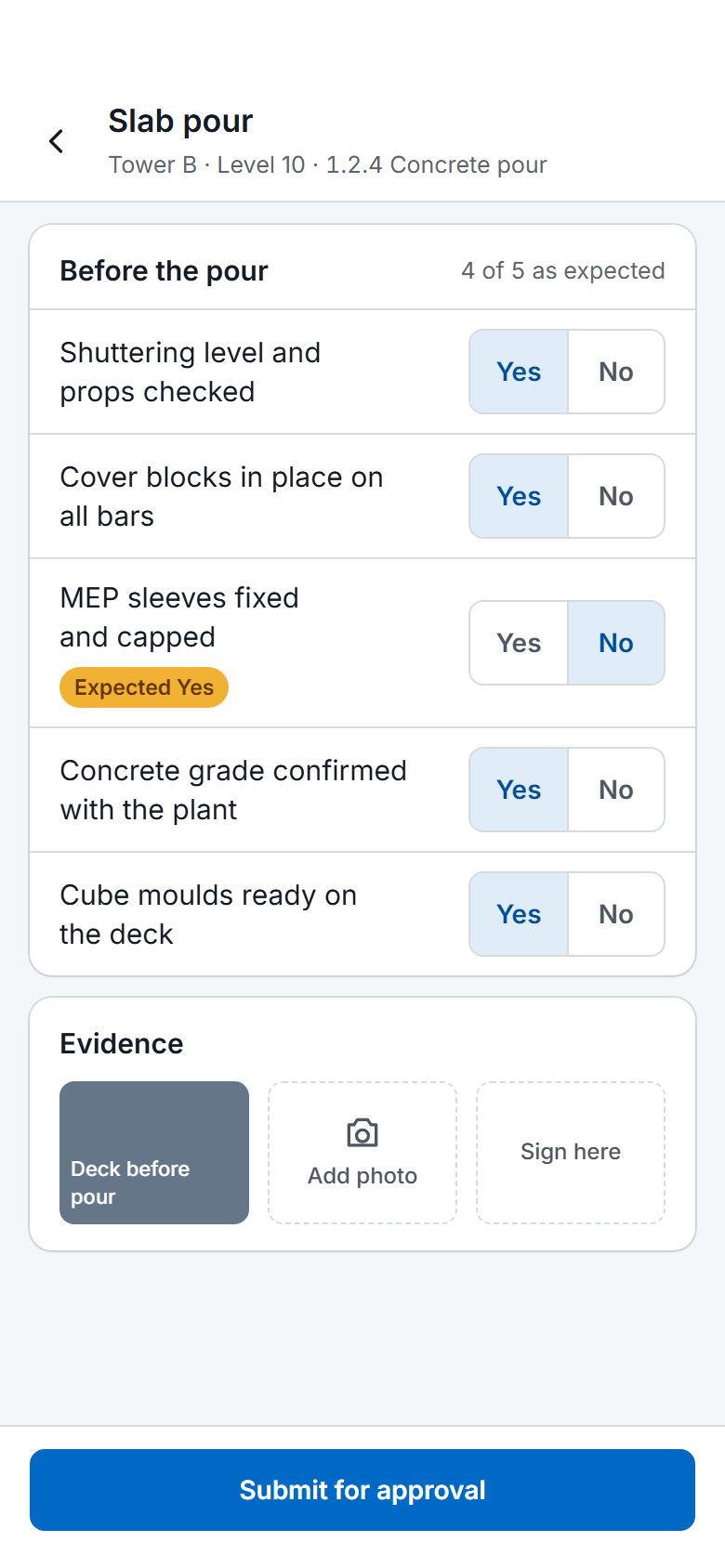
Fill a checklist on the task
Answer a quality or safety checklist where the work is: yes or no for each item, with the expected answer marked, an evidence photo and a signature, then submit it for approval. The filled form is in Quality and Safety for the office.
-
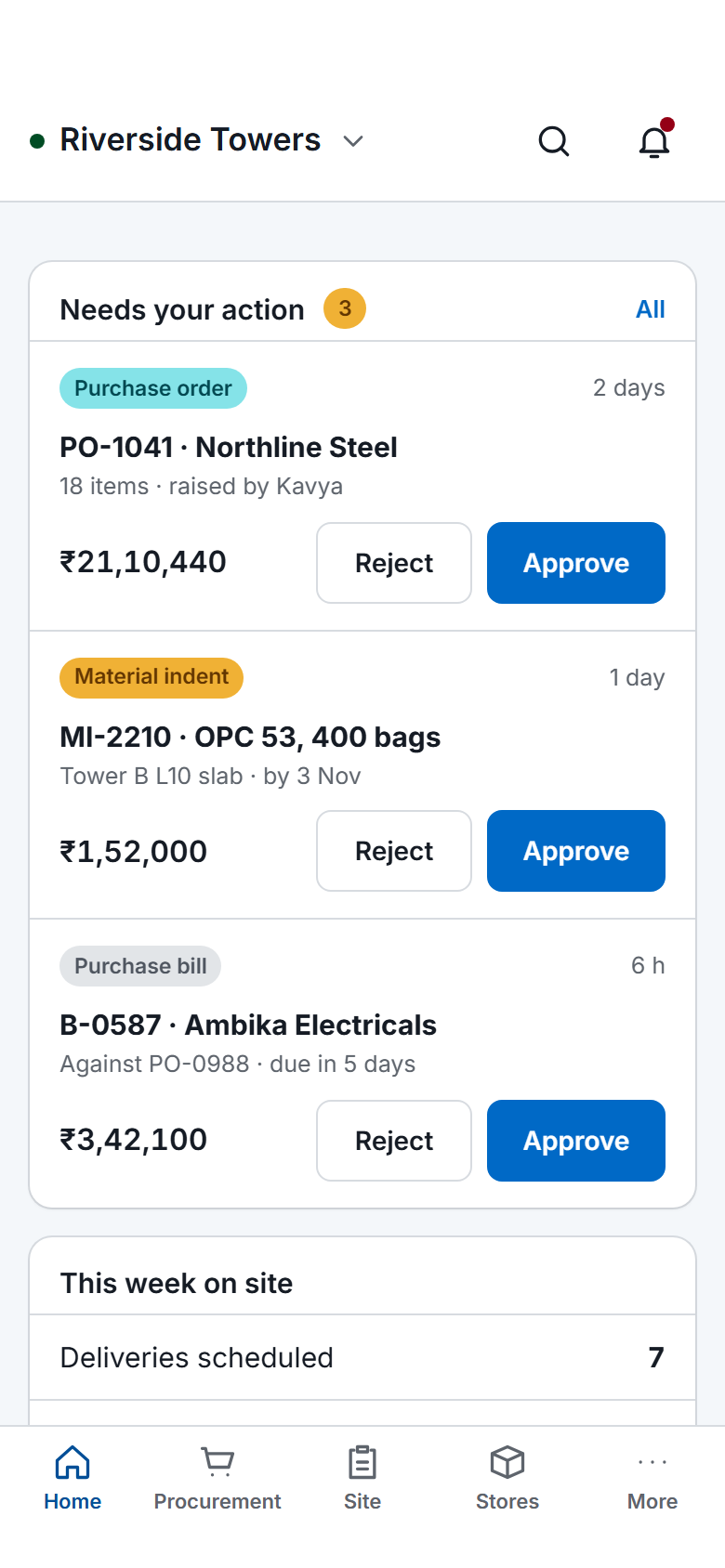
See what is waiting for you
The home screen shows the key figures of the project and what needs your action, where you can approve or reject a purchase order, an indent or a bill. Four quick buttons start the jobs above.
- Photos taken in the app chat can carry a visible timestamp, if your administrator switches it on in tenant settings. The administrator also chooses the resolution that photos from the app are stored at.
- Push notifications, to procurement staff when a challan is submitted and to the person who created a document when it is rejected, are sent if your administrator has switched them on.
Get the app
The app is on Google Play for Android. There is no iOS version yet and no App Store listing.
On an iPhone? Tell us when iOS is ready.