
Microsoft Project
File import
Imports a schedule from an MPP, XML or Excel file as a template with its WBS, tasks and predecessors, and downloads the plan as Microsoft Project XML.
Integrations
These are the construction software integrations SuperWise has today: plan files import from Microsoft Project and Primavera, Excel and PDF files move in and out, and Zapier automates the rest.
In
SuperWise
Schedule, site records, material and bills in one project
Out
Tally A bill inward can be marked as passed to Tally, with who and when. There is no live sync, and nothing is written back to a planning tool.
SuperWise reads plans from MPP, XML, XER and Excel files. Nothing is written back to the planning tool and no dates are pushed, so the planner revises the plan there by hand. The Schedule page can download the plan as Microsoft Project XML. Checked against the product on 20 November 2026: the schedule page accepts .mpp, .xer and .xlsx files smaller than 75 MB.
File import
Imports a schedule from an MPP, XML or Excel file as a template with its WBS, tasks and predecessors, and downloads the plan as Microsoft Project XML.
File import
Imports a Primavera plan from an XER file or the Excel template as a template with its WBS, tasks and predecessors.
Import and export
In: schedule templates, bulk task progress and resources from Excel. Out: the daily progress report as PDF or Excel and the MIS report as PDF.
The Zapier connection acts as the SuperWise user who authorised it, so it sees what that user can see. An action fails with a permission error if the user's role lacks the Add privilege for the area.
Zapier
Six triggers send events from SuperWise to other apps. Three actions create records in SuperWise from other apps.
| Kind | Name | Trigger key or what it creates |
|---|---|---|
| Trigger | Purchase Order Created | purchase_ |
| Trigger | Purchase Order Approved | purchase_ |
| Trigger | Material Indent Created | material_ |
| Trigger | Task Progress Logged | task_ |
| Trigger | Site Issue Created | site_ |
| Trigger | Daily Report Created | daily_ |
| Action | Create Purchase Order | A new PO for a project and vendor |
| Action | Create Material Indent | A new indent for a project |
| Action | Create Site Issue | A new issue for a project |
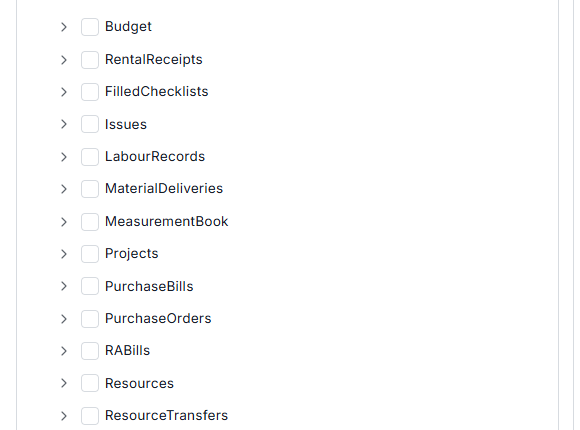
No live connection to an accounting or ERP system is documented. What exists is listed here.
A bill inward can be marked as passed to Tally, with who passed it and when. There is no live sync, and reports download as Excel and PDF for the accounts team.
No SAP connection is documented. Reports download as Excel and PDF, and Zapier moves selected events to the tools it supports.
Not as a live connection. A bill inward carries a passed-to-Tally marker with who and when. Reports download as Excel and PDF, and Zapier can carry events to other tools. No SAP connection is documented.
No. SuperWise imports schedules from MPP, XML and XER files and from an Excel template, and nothing is written back to the planning tool. The Schedule page can download the plan as a Microsoft Project XML file. The planner reads progress and variance in SuperWise and revises the plan by hand.
It has six triggers, such as Purchase Order Created and Task Progress Logged, and three actions that create a purchase order, a material indent or a site issue. Actions run as the user who connected Zapier and follow that user's role permissions.
Write to us through the contact page with the tool and the data you want to move. We will say whether an existing route, such as a file or Zapier, covers it.
Book a demo and we walk through your site data.