The problem most teams are still living with

Help planners stay ahead

MS Project is more useful when project status is updated from structured field inputs instead of message threads.

Better handoff between field and office

Import your MPP file and give field engineers a structured daily update workflow that keeps the schedule current.

Clearer review trail

Add notes, evidence, and reporting context around schedule status instead of passing around isolated file revisions.

Microsoft Project schedule integration with live construction site progress

Why MSP users look for an execution layer

Project teams often already know how to work in Microsoft Project. The harder part is keeping that schedule current when the site update process is weak.

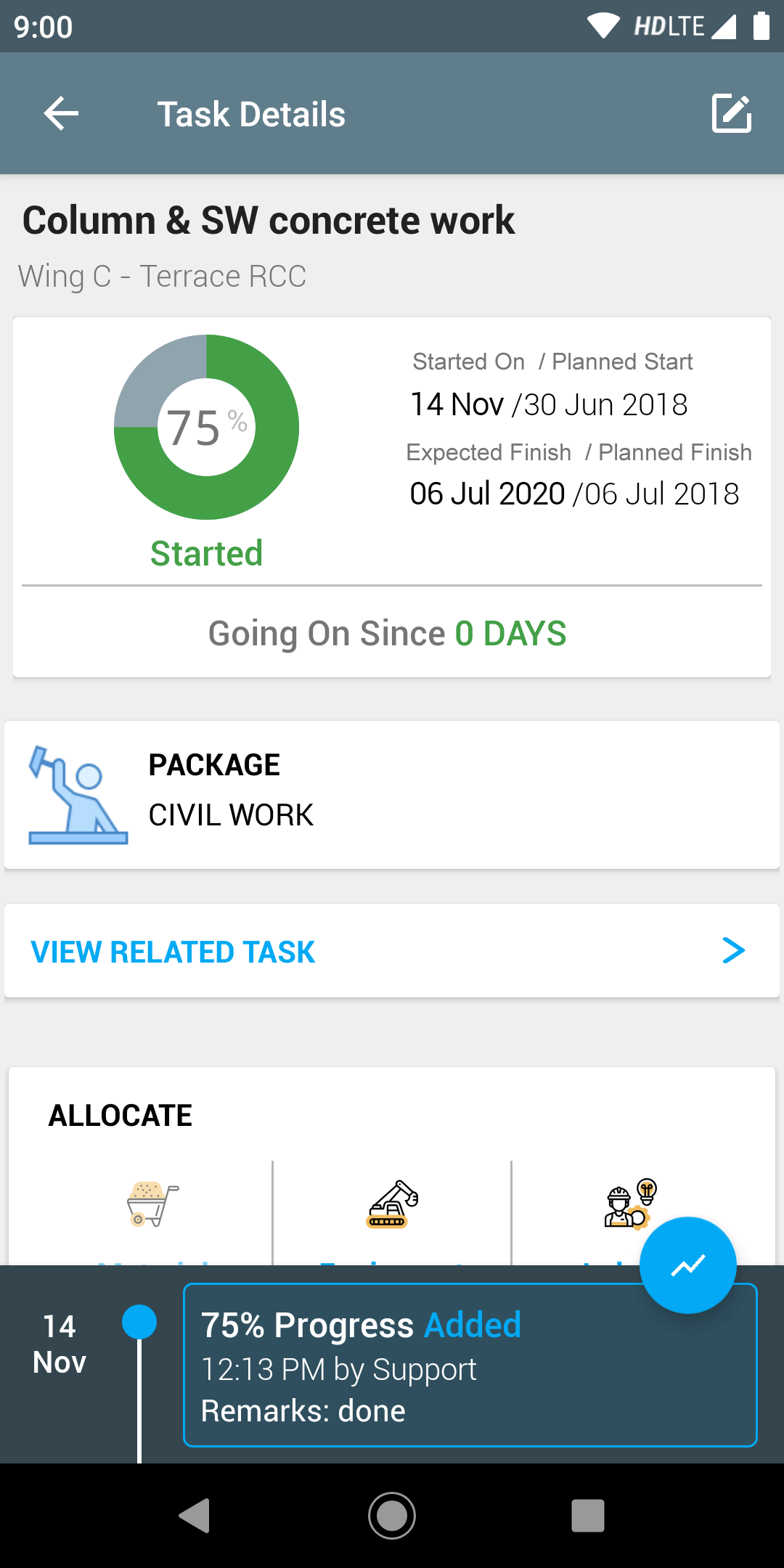
SuperWise gives field engineers a structured mobile workflow for daily progress updates. That means planners get reliable inputs without chasing the site team — and the MSP schedule reflects what is actually happening.

  • Field progress capture against planned activities
  • Cleaner handoff to the planning team
  • Reduced manual status collection
  • Better reporting on schedule health
Construction field progress feeding Microsoft Project schedule update workflow

From MPP import to live progress — how the workflow runs

SuperWise supports import of MPP files and provides structured daily updates that make it easier to keep the MSP schedule current. Field engineers update activity progress from mobile, and those updates give planners the reliable input they need to revise the schedule without chasing individual team members.

The schedule stays grounded in what the field team is reporting, not what the planner last managed to collect through calls and messages.

Construction project schedule visibility and stakeholder reporting dashboard

Use this when site updates are the weak link in schedule control

The issue is rarely the planning software alone. The issue is usually how inconsistent the progress signals are from the field.

A structured reporting and execution layer helps MSP users keep the schedule useful and reviewable.

  • Support schedule-driven review meetings
  • Reduce lag between work done and work reported
  • Create better context for project managers and planners
  • Give leadership cleaner status snapshots

70+

Projects

500+

Active Users

3500+

Purchase Orders

20000+

Material Deliveries

Frequently Asked Questions

Does this mean teams have to abandon Microsoft Project?

No. SuperWise is an execution layer that improves the quality of field progress inputs into the MSP schedule, not a replacement for it.

Can teams keep using Microsoft Project for planning while SuperWise handles field reporting?

Yes. That is the typical use case. Planning teams keep ownership of the MSP schedule, while SuperWise gives field teams a structured mobile workflow that feeds the planning process with reliable daily progress.

How often can progress updates from SuperWise be used to refresh the MSP schedule?

As frequently as the field team reports. If daily reporting is set up in SuperWise, the planning team has structured progress inputs every day and can update the MSP schedule on a consistent cycle.

Explore Related Pages

Construction Scheduling feature

Construction scheduling with live field progress updates

Oracle Primavera integration

How SuperWise connects Oracle Primavera to field reporting

Primavera and MS Project field update guide

Field update workflows for Primavera and Microsoft Project users

Keep Microsoft Project tied to real field progress

Book a walkthrough if your teams plan in MSP but still depend on fragmented updates to understand what actually happened on site.

Are you ready to SuperWise?

Take a demo or signup now to experience an empowering construction project management solution.

Request a demoSignup Now!